Firdtly, Alternatives to Expensive Programs, Expensive software can quickly drain your budget. Secondly, Proprietary programs like Microsoft Office or Adobe Photoshop often require costly subscriptions. Fortunately, you can switch to open-source or free alternatives to save money without sacrificing quality.
Here are 8 of the best free software choices to replace expensive programs.
1. LibreOffice (Alternative to Microsoft Office) & Alternatives to Expensive Programs
Microsoft Office costs $69.99 annually, but LibreOffice offers a powerful free suite. It includes Writer (for documents), Calc (for spreadsheets), Impress (for presentations), and Base (for databases). So, It supports Microsoft formats, making collaboration easy. As a project of The Document Foundation, it is transparent and community-driven.
2.GIMP (Alternative to Adobe Photoshop) & Alternatives to Expensive Programs
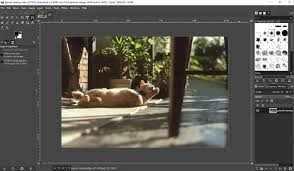
Moreover, Adobe Photoshop is pricey, starting at $9.95 per month. GIMP is a free, open-source editor that handles most image tasks. It features layer masks, filters, and supports many file formats, including Photoshop files. While it has a learning curve, free online tutorials help beginners master it quickly.
3. Inkscape (Alternative to Adobe Illustrator) & Alternatives to Expensive Programs
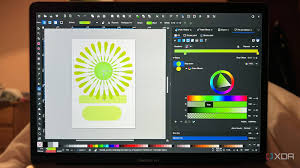
So, For vector graphics like logos and illustrations, Adobe Illustrator is the standard but is expensive. Inkscape is the best free alternative. It uses the SVG format by default and opens Illustrator files (.ai). With a simple interface and a helpful community, Inkscape lets you create professional designs without a subscription.
4. FreeCAD (Alternative to AutoCAD)
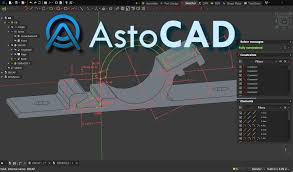
AutoCAD costs a staggering $235 per month. FreeCAD is a free option for architects and engineers needing precise 2D and 3D models. So, It works on Windows, Mac, and Linux and runs well on older computers. While the learning curve is steep, active community support provides guidance.
5. VLC Media Player (Alternative to PowerDVD)
CyberLink PowerDVD costs $69.99, but VLC Media Player plays videos and music for free. It supports subtitles, resumes playback where you left off, and respects your privacy by avoiding ads and tracking. It handles almost any file type on any operating system.
6. 7-Zip (Alternative to WinRAR)
So, You do not need to pay for compression tools. While WinRAR is popular, 7-Zip offers similar functionality for free, even for commercial use. It compresses files by roughly 40% using LZMA algorithms. Although WinRAR can split archives, 7-Zip remains the best cost-free choice for most users.
7. OpenShot & HandBrake (Alternatives to Filmora)
Moreover, Filmora adds watermarks to its free version. Instead, use OpenShot for editing; it works on Windows, Mac, and Linux. For converting video formats, use HandBrake. It processes files from DVD or Blu-Ray sources easily. So, Together, they provide a complete editing suite for free.
8. Okular (Alternative to Acrobat Pro)
Lastly, Adobe Acrobat Pro is feature-rich but expensive. Okular is a user-friendly, So, open-source alternative for PDF editing. It allows you to add text boxes, annotations, and digital signatures. So, It runs on multiple platforms and is supported by the KDE community, making it perfect for budget-conscious users.
And If you want to learn more types, we welcome you to our website!
Featured image: https://www.youtube.com/watch?v=ZOlqRrVkSIM